BIG GARAGE WEEDA 1.22.X
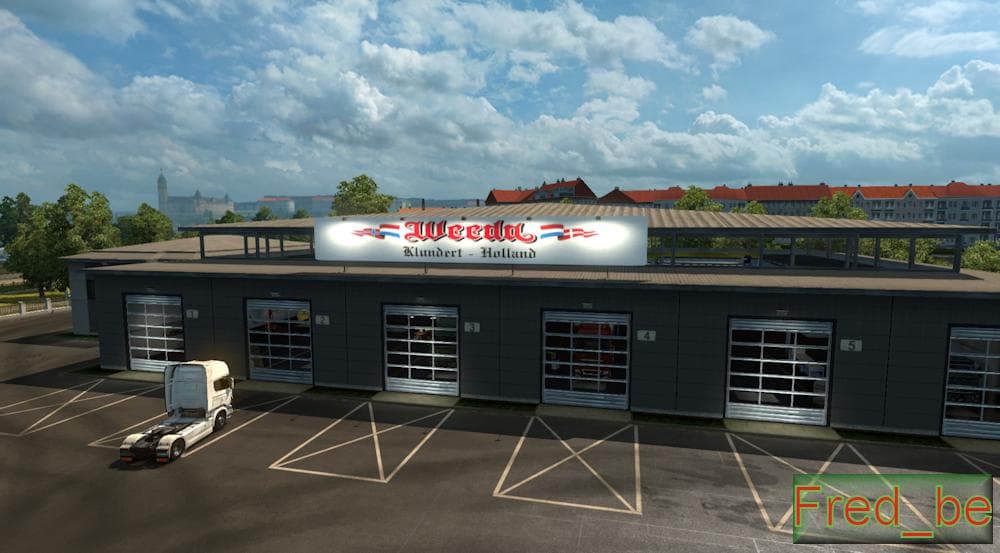
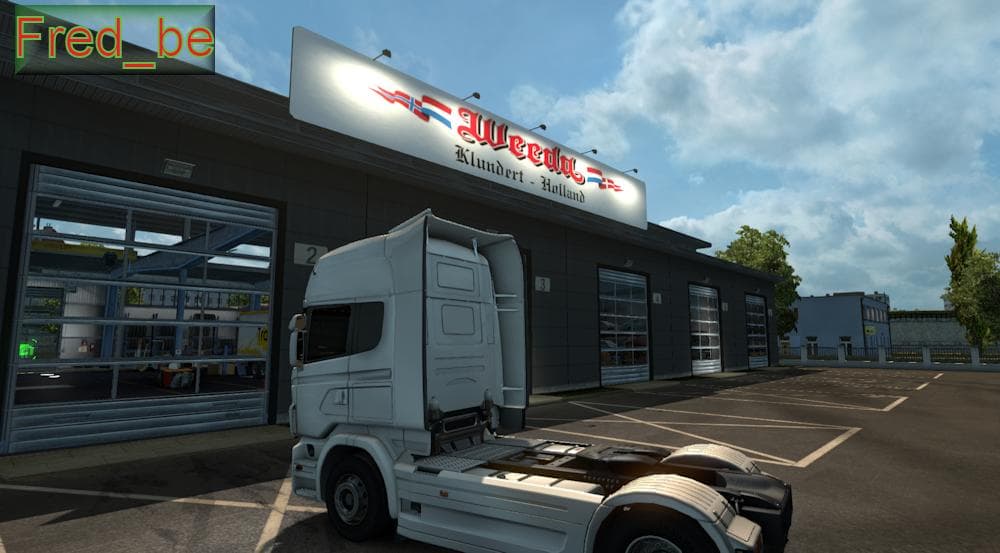
BIG GARAGE WEEDA 1.22.X is a map mod for ETS2 version 1.22, adding a large garage named "Weeda". It is compatible with all DLC and credits HomerS, MDModding, an
BIG GARAGE WEEDA 1.22.X is a map modification designed for Euro Truck Simulator 2 version 1.22. It focuses on expanding or altering the game's driving environment by adding or modifying locations where players can park and manage their garages. As with most map mods, it comes as one or more .scs files that need to be placed in the game's mod folder and activated through the mod manager.
Map mods like this one enhance ETS2 by increasing the variety of places you can explore or use for business operations such as garage ownership. They often provide new roads, cities, or regions, although this particular mod centers around garage spaces rather than broad map expansions. Since it's version-specific, it should be used with the matching game update to avoid compatibility issues.
When using BIG GARAGE WEEDA 1.22.X in a heavily modded setup, pay attention to load order because map mods can conflict with each other if not arranged properly. Typically, map mods are loaded after any gameplay or vehicle mods but before skins and sounds. Some require starting a fresh profile for changes to take effect without problems, so keep that in mind if you plan to integrate it into your current game.
Compatibility with all DLC is noted, which means it shouldn't clash with official content expansions you have installed. However, combining multiple map mods might cause overlapping areas or missing assets unless carefully managed. Checking community forums for others' experiences with similar setups can help prevent headaches down the line.
This mod fits well for players who want more options when managing their trucking empire's infrastructure and prefer having extra garage spots spread across different areas of the map. It's suitable for those focused on logistics and fleet management within ETS2 who enjoy customizing their gameplay environment beyond just driving routes.
How to install
1. Download every .scs file from the source page (map mods often ship multiple files). 2. Copy all files to `Documents/Euro Truck Simulator 2/mod/`. 3. Enable each file in Mod Manager **in the order documented by the modder**. Load order matters for maps. 4. Start a new save or use an existing save that already supports the map's base regions.
After the mod loads, save your game inside a safe area (parking lot or service) before deciding whether to keep it. If the game refuses to load with the mod enabled, check that all required DLCs are installed and that the supported ETS2 version chips on this page include your installed game patch.
Known conflicts
No conflicts reported for this mod yet. Running a big mod list? Check your whole setup for conflicts →
Reviews
No ratings yetNo reviews yet — be the first to rate this mod.





