BIG GARAGE RONNY CEUSTERS 1.22.X
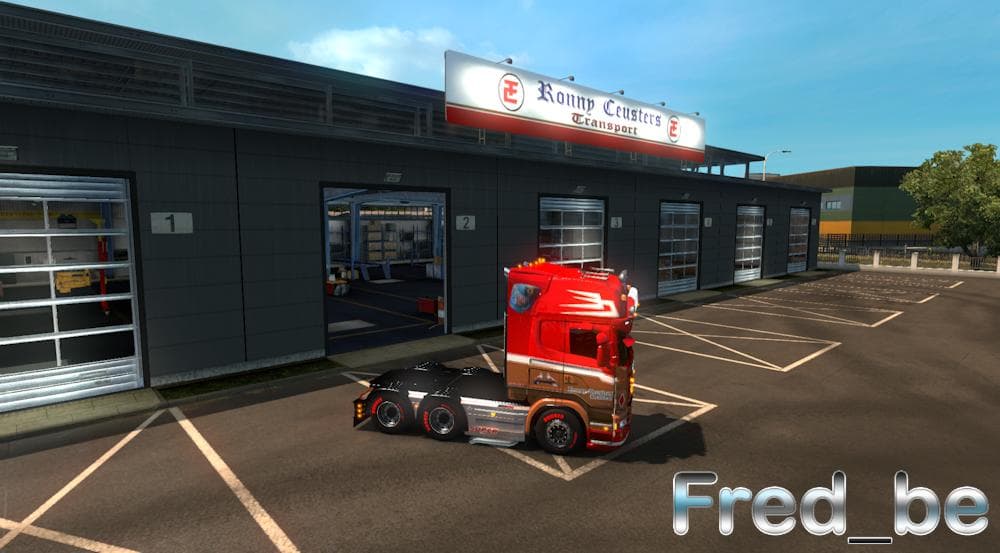
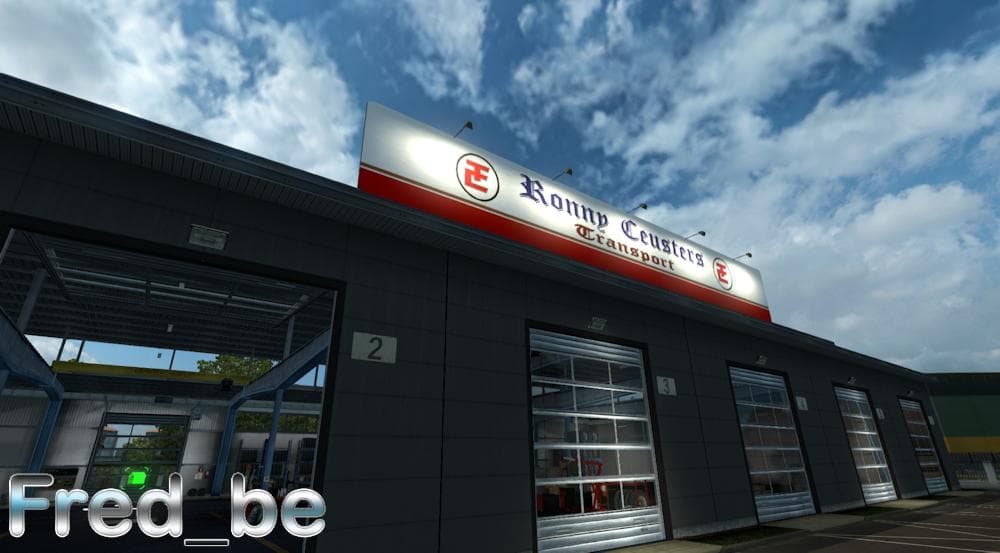
This mod is titled "BIG GARAGE RONNY CEUSTERS 1.22.X" and is created by Euro truck simulator 2. It is version 1.22 and compatible with all DLC, featuring a big
BIG GARAGE RONNY CEUSTERS 1.22.X is a map mod designed for Euro Truck Simulator 2 version 1.22. It focuses on expanding the game's environment by adding or modifying areas related to garage spaces, which can impact your trucking operations and vehicle maintenance routines in the game. This type of mod typically comes as one or more .scs files that integrate with the base map to enhance or alter the playable world.
Map mods like this one are popular among players who want more variety and detail in their driving routes. They often introduce new roads, cities, or regions, but in this case, the emphasis seems to be on garage-related infrastructure. Installing such mods usually requires attention to load order, as conflicts can arise if multiple map mods overlap or if they aren’t compatible with certain DLCs.
BIG GARAGE RONNY CEUSTERS has been tested on version 1.22.x and is compatible with all DLCs available at that time, which helps it fit smoothly into a modded setup without needing a fresh profile or special base maps. Still, as with all map mods, it’s wise to check for any load order recommendations from users who have combined it with other content.
Players who enjoy customizing their trucking experience beyond just trucks and trailers might find this mod useful. It adds depth to the logistical side of ETS2 by enhancing garages where repairs and customizations take place, offering a different kind of immersion than simply new road networks.
Given its specific focus on garages rather than broad geographical expansion, this mod could appeal to those who want subtle but meaningful changes in their game world rather than major map overhauls. It's a straightforward addition that complements other map expansions without overwhelming them.
How to install
1. Download every .scs file from the source page (map mods often ship multiple files). 2. Copy all files to `Documents/Euro Truck Simulator 2/mod/`. 3. Enable each file in Mod Manager **in the order documented by the modder**. Load order matters for maps. 4. Start a new save or use an existing save that already supports the map's base regions.
After the mod loads, save your game inside a safe area (parking lot or service) before deciding whether to keep it. If the game refuses to load with the mod enabled, check that all required DLCs are installed and that the supported ETS2 version chips on this page include your installed game patch.
Known conflicts
No conflicts reported for this mod yet. Running a big mod list? Check your whole setup for conflicts →
Reviews
No ratings yetNo reviews yet — be the first to rate this mod.





