Better Dashboard for Volvo FH 2012
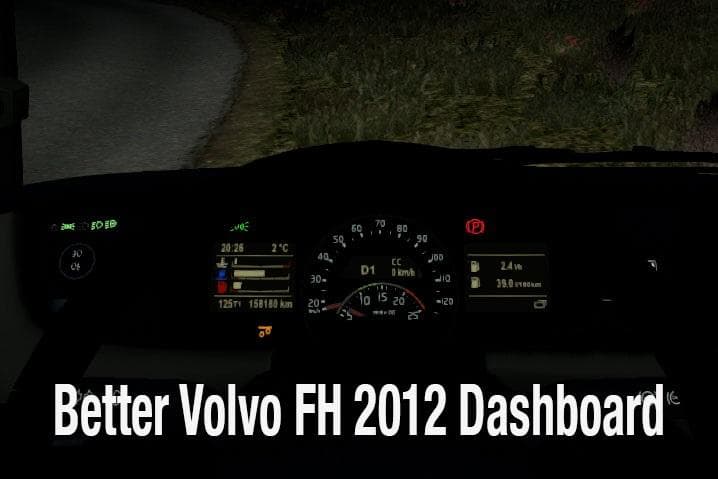
Better Dashboard for Volvo FH 2012 is an ETS2 parts.
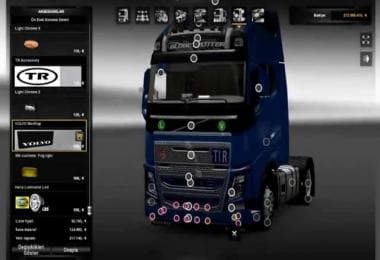
This mod upgrades the dashboard of the Volvo FH 2012 model in ETS2, offering a more detailed and realistic interior experience. It tweaks various indicators such as trip distance reset, low fuel warning, liftable axle status, and damage alerts. The visual redesign aims to make the dashboard feel closer to what drivers might expect from this truck in real life.
In Euro Truck Simulator 2, parts mods like this one focus on enhancing specific truck components visible within the customization menu. They don't usually affect gameplay mechanics directly but add to immersion by improving or altering visual elements inside or outside the vehicle. Interior mods particularly cater to players who spend a lot of time looking around their cabin during long hauls.
When adding parts mods to your setup, it's worth considering load order if you use multiple mods that alter the same truck model. Dashboard or interior mods typically go after external parts to ensure all visuals display correctly without conflicts. Since no version details are given, testing compatibility with your current ETS2 version is recommended before committing to it for regular use.
This kind of mod suits players who enjoy fine-tuning their trucks beyond just paint jobs or exterior accessories. It appeals especially to those focused on Volvo models and who appreciate subtle touches that enhance realism inside the cab. If you find yourself frequently glancing at gauges and indicators during your drives, an improved dashboard can heighten that sense of presence.
While specifics about supported game versions or file size aren't provided here, these are common considerations when installing any parts mod. Usually, installation involves placing files into the mod folder and activating them through the game's mod manager interface. Keeping backups before adding new interior modifications is always a good practice.
How to install
1. Download the file(s) from the original source linked above. 2. Drop them into `Documents/Euro Truck Simulator 2/mod/`. 3. Enable in Mod Manager and restart the game.
After the mod loads, save your game inside a safe area (parking lot or service) before deciding whether to keep it. If the game refuses to load with the mod enabled, check that all required DLCs are installed and that the supported ETS2 version chips on this page include your installed game patch.
Reviews
No ratings yetNo reviews yet — be the first to rate this mod.