BASE IN POZNAN V1.0 BY WGT MODS
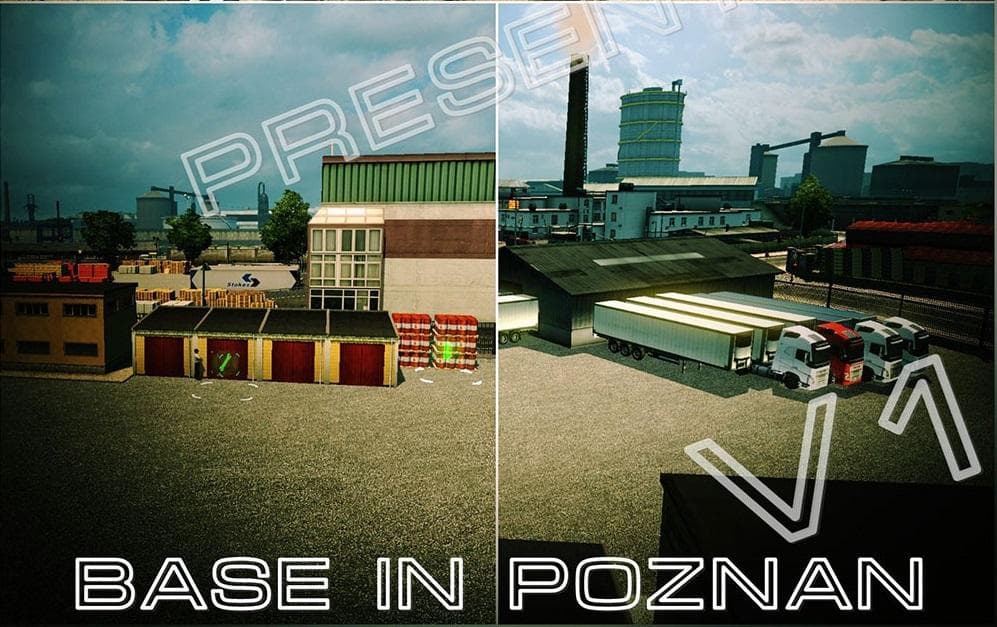
BASE IN POZNAN BY WGT is a map mod for ETS2 version 1.0, created by Euro truck simulator 2. The mod requires DLC Scandinavia and Going East for installation. Cr
BASE IN POZNAN V1.0 BY WGT MODS adds a new location centered around Poznań, expanding the map in Euro Truck Simulator 2. This kind of map mod brings fresh driving areas, roads, and points of interest that aren't part of the base game, giving players new routes to explore and jobs to take on. It requires both the Scandinavia and Going East DLCs to function properly, which means it builds on those expansions' content rather than standing alone.
Map mods like this one are usually delivered as .scs files that you place in your mods folder. They can be sensitive to load order, so placing them correctly in the mod manager is necessary to avoid conflicts or crashes. Also, some map mods need a new profile or rely on specific DLC versions because they modify core map files or add regions that integrate with existing ones.
In a modded setup featuring multiple map expansions or tweaks, this mod would slot in alongside other Poland-related additions or Eastern European maps. Since it extends the playable area around Poznań, it complements rather than replaces existing Polish cities and routes. Players who enjoy exploring detailed city bases and expanding their logistic operations will find this mod fits well into a larger map collection.
Because the mod depends on particular DLCs, it's not suitable for players without Scandinavia or Going East. But if you already have those expansions installed and want more depth in Poland's road network, adding a base in Poznań offers new starting points or delivery destinations.
This mod suits truckers looking for more variety within Poland's geography and those who want to diversify their haul options beyond the standard routes found in ETS2's default map. It provides additional immersion by fleshing out an important city with its own dedicated base area.
How to install
1. Download every .scs file from the source page (map mods often ship multiple files). 2. Copy all files to `Documents/Euro Truck Simulator 2/mod/`. 3. Enable each file in Mod Manager **in the order documented by the modder**. Load order matters for maps. 4. Start a new save or use an existing save that already supports the map's base regions.
After the mod loads, save your game inside a safe area (parking lot or service) before deciding whether to keep it. If the game refuses to load with the mod enabled, check that all required DLCs are installed and that the supported ETS2 version chips on this page include your installed game patch.
Known conflicts
No conflicts reported for this mod yet. Running a big mod list? Check your whole setup for conflicts →
Reviews
No ratings yetNo reviews yet — be the first to rate this mod.





