AUDI A4 BETA V0.5
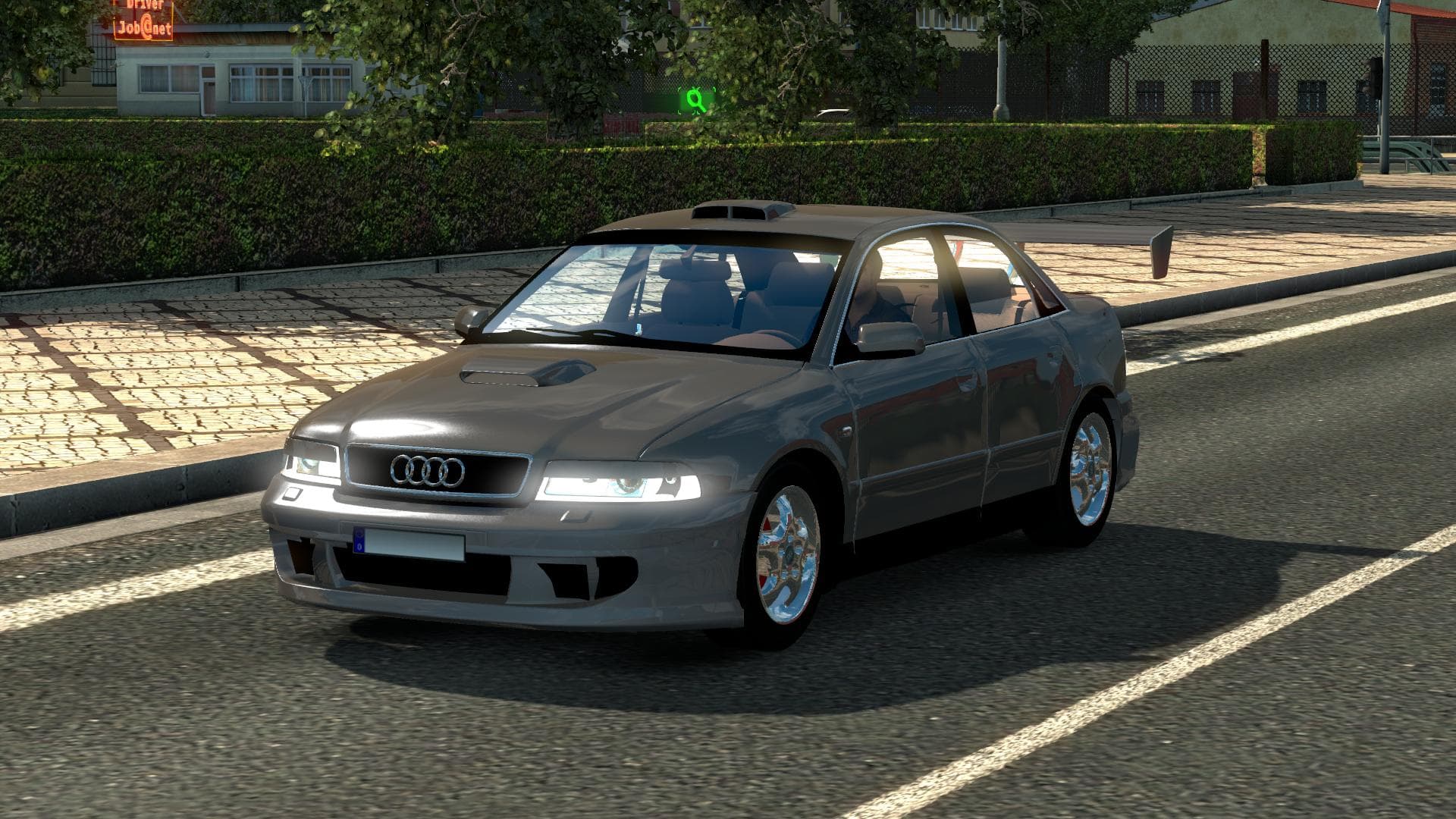
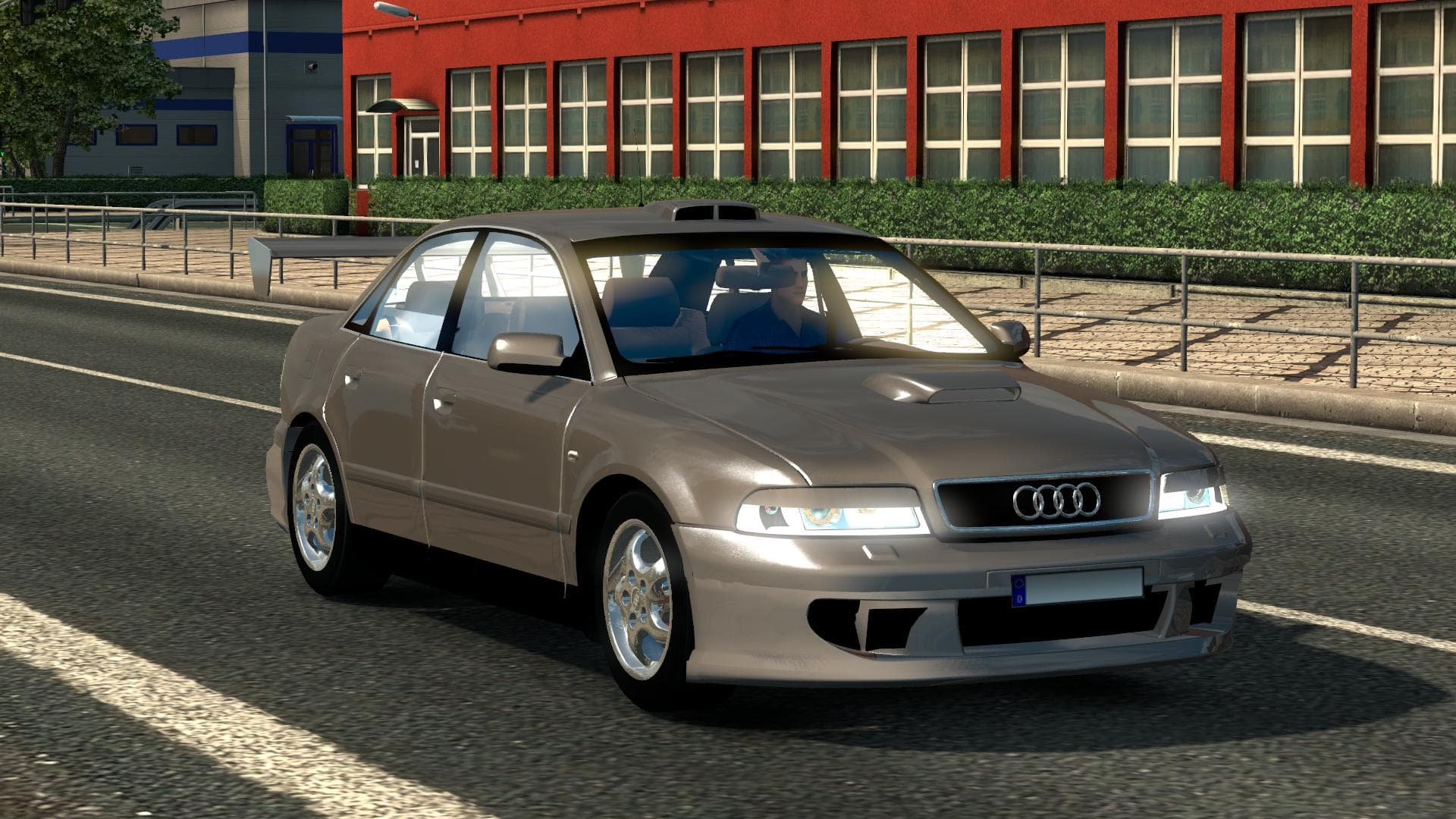
The AUDI A4 BETA mod version 0.5 is a parts category mod for Euro Truck Simulator 2. It offers a partial fix for rev and speed counters, credited to DragonModz
The AUDI A4 BETA V0.5 mod adds specific parts related to the Audi A4 into Euro Truck Simulator 2. It aims to enhance certain vehicle features, including partial improvements to rev and speed counters, although these fixes aren't fully complete. Mods like this one typically introduce accessories or tuning options that can be applied via the truck customization menu in-game.
Parts mods such as this usually focus on adding or adjusting components like lights, mirrors, or interior items for a particular truck brand or model. They allow players to tailor their vehicles more closely to their preferences or desired aesthetics, even if the base game doesn't include those options. This can make driving feel more personalized and immersive.
When used within a modded setup, parts mods generally slot into the load order after map and truck mods but before any gameplay or AI-related modifications. This helps prevent conflicts and ensures that the added parts appear correctly on compatible vehicles. Compatibility with other mods depends on whether they modify the same truck components; careful load order management is advised.
Players who enjoy fine-tuning their trucks with brand-specific parts will find this mod appealing. Even though the rev and speed counter fixes are only partially functional, it still provides some enhancement over default displays for Audi-related content in ETS2. It’s suitable for those looking to expand customization options around Audi models.
Installing parts mods usually involves placing files in the mod folder and activating them through the game’s mod manager. Since details about supported ETS2 versions aren't specified here, users should test compatibility cautiously, especially if running newer game updates or other extensive mod collections.
How to install
1. Download the file(s) from the original source linked above. 2. Drop them into `Documents/Euro Truck Simulator 2/mod/`. 3. Enable in Mod Manager and restart the game.
After the mod loads, save your game inside a safe area (parking lot or service) before deciding whether to keep it. If the game refuses to load with the mod enabled, check that all required DLCs are installed and that the supported ETS2 version chips on this page include your installed game patch.
Reviews
No ratings yetNo reviews yet — be the first to rate this mod.