Alex Project Map v 0.1 Alpha Test
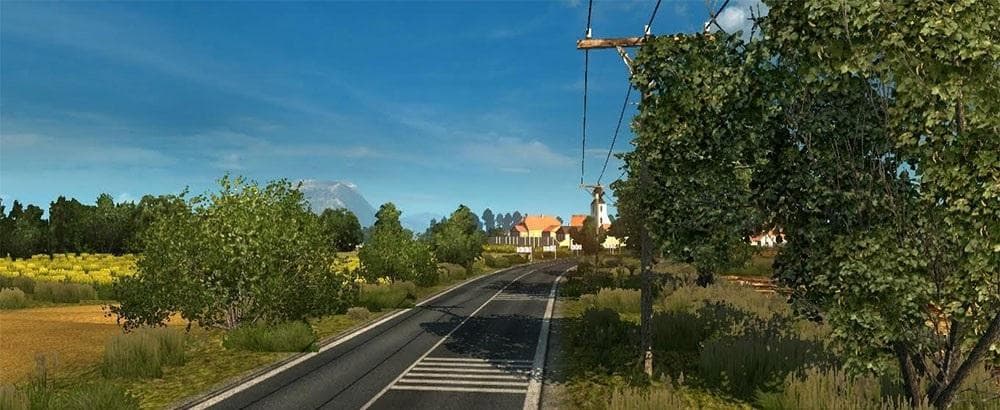
The Alex Project Map v 0.1 Alpha Test is a standalone map mod for ETS2 created by Euro Truck Simulator 2. This early version may contain bugs such as incomplete
The Alex Project Map v 0.1 Alpha Test is an early-stage standalone map mod for Euro Truck Simulator 2. It aims to introduce a new playable area, though it remains in alpha, meaning it's far from complete and includes various issues like missing terrain and invisible barriers. The cityscapes are also only partially built, so expect an unfinished experience rather than polished gameplay.
Map mods in ETS2 typically expand the game world by adding fresh roads, towns, and regions to explore. They come as .scs files that need to be loaded alongside or instead of the base maps, depending on whether they’re standalone or expansions. Since this mod is standalone, it replaces the base map rather than layering onto it.
Using a mod like this one usually calls for a dedicated profile because of its standalone nature and early development status. Load order matters less here compared to map addons that patch existing areas but still pay attention to conflicts with other map mods if you run multiple at once. Compatibility with official DLCs can also be a factor, though details are unknown for this version.
This alpha test is clearly aimed at players who enjoy testing new content and don’t mind running into bugs or incomplete environments. It's not recommended for those looking for a stable or finished map experience yet. Instead, it might appeal more to modders or those curious about upcoming projects in the ETS2 community.
Overall, Alex Project Map offers a glimpse at a developing region within ETS2's world, but with significant rough edges right now. If you want to experiment with fresh landscapes and don't mind some glitches like invisible walls or lacking terrain features, it's worth checking out cautiously.
How to install
1. Download every .scs file from the source page (map mods often ship multiple files). 2. Copy all files to `Documents/Euro Truck Simulator 2/mod/`. 3. Enable each file in Mod Manager **in the order documented by the modder**. Load order matters for maps. 4. Start a new save or use an existing save that already supports the map's base regions.
After the mod loads, save your game inside a safe area (parking lot or service) before deciding whether to keep it. If the game refuses to load with the mod enabled, check that all required DLCs are installed and that the supported ETS2 version chips on this page include your installed game patch.
Known conflicts
No conflicts reported for this mod yet. Running a big mod list? Check your whole setup for conflicts →
Reviews
No ratings yetNo reviews yet — be the first to rate this mod.





