AHMLING TRANSPORT VTC SKIN FOR MERCEDES
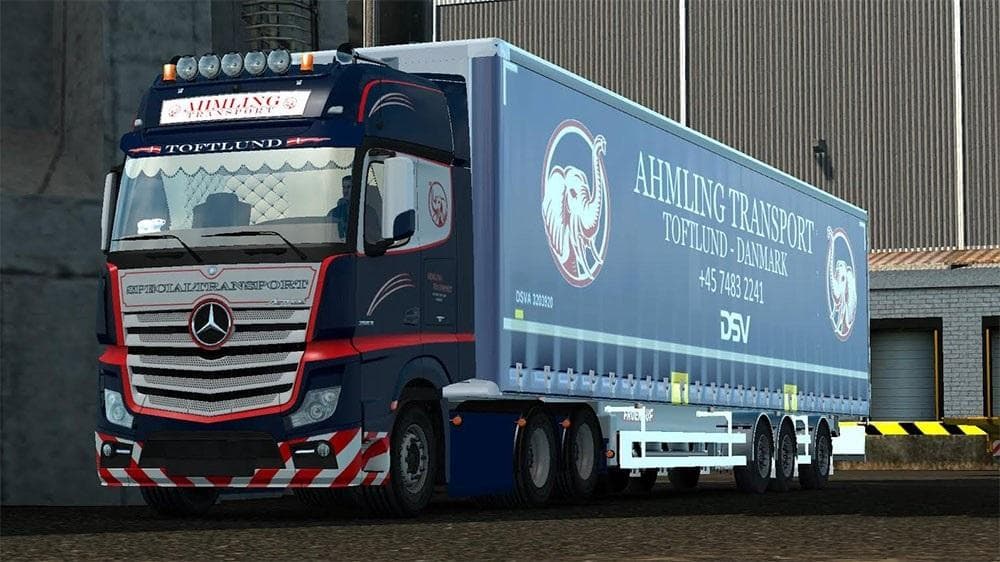
AHMLING TRANSPORT VTC skin for Mercedes Actros truck in ETS2. Includes lightbox but not trailer. Copy two mods to install.
The AHMLING TRANSPORT VTC SKIN FOR MERCEDES is a repaint designed specifically for the Mercedes Actros truck in Euro Truck Simulator 2. This type of mod changes the visual appearance of the truck by applying a custom skin, which includes a unique design featuring the lightbox but does not extend to trailers. Skins like this one are installed via the paint shop in-game and rely on the base model of the truck they were created for, so they won't work with other vehicle models.
In ETS2, skin mods offer a way to personalize your trucks without altering any gameplay mechanics or vehicle performance. They only affect how your rig looks on the road, making them lightweight additions that can easily fit into any existing mod setup without causing conflicts. Because skins overlay directly on top of the base vehicle texture, it's important to ensure you have the correct version of the truck model installed to avoid visual glitches.
For players running multiple mods, skins generally load without issues if they’re placed correctly in the mod manager. Since this particular skin is built for the Mercedes Actros and includes specific features like a lightbox graphic, it should be loaded after any mods that change or add to that truck’s visuals. It won’t interfere with trailer mods because it doesn’t include trailer skins.
This skin would suit players who want to add some variety to their fleet's look with something tied to a transport company style. It's particularly appealing if you prefer customizing just your cab rather than full trailer sets. Fans of Mercedes trucks will find it an easy way to refresh their Actros while keeping compatibility with other cosmetic or functional mods they might be using.
How to install
1. Download the .scs file. 2. Drop it into `Documents/Euro Truck Simulator 2/mod/`. 3. Enable in Mod Manager. 4. Apply the skin in the truck/trailer paint shop.
After the mod loads, save your game inside a safe area (parking lot or service) before deciding whether to keep it. If the game refuses to load with the mod enabled, check that all required DLCs are installed and that the supported ETS2 version chips on this page include your installed game patch.
Reviews
No ratings yetNo reviews yet — be the first to rate this mod.