8 GEARS GEARBOX FOR MAN TGX EURO 6 BY MADSTER
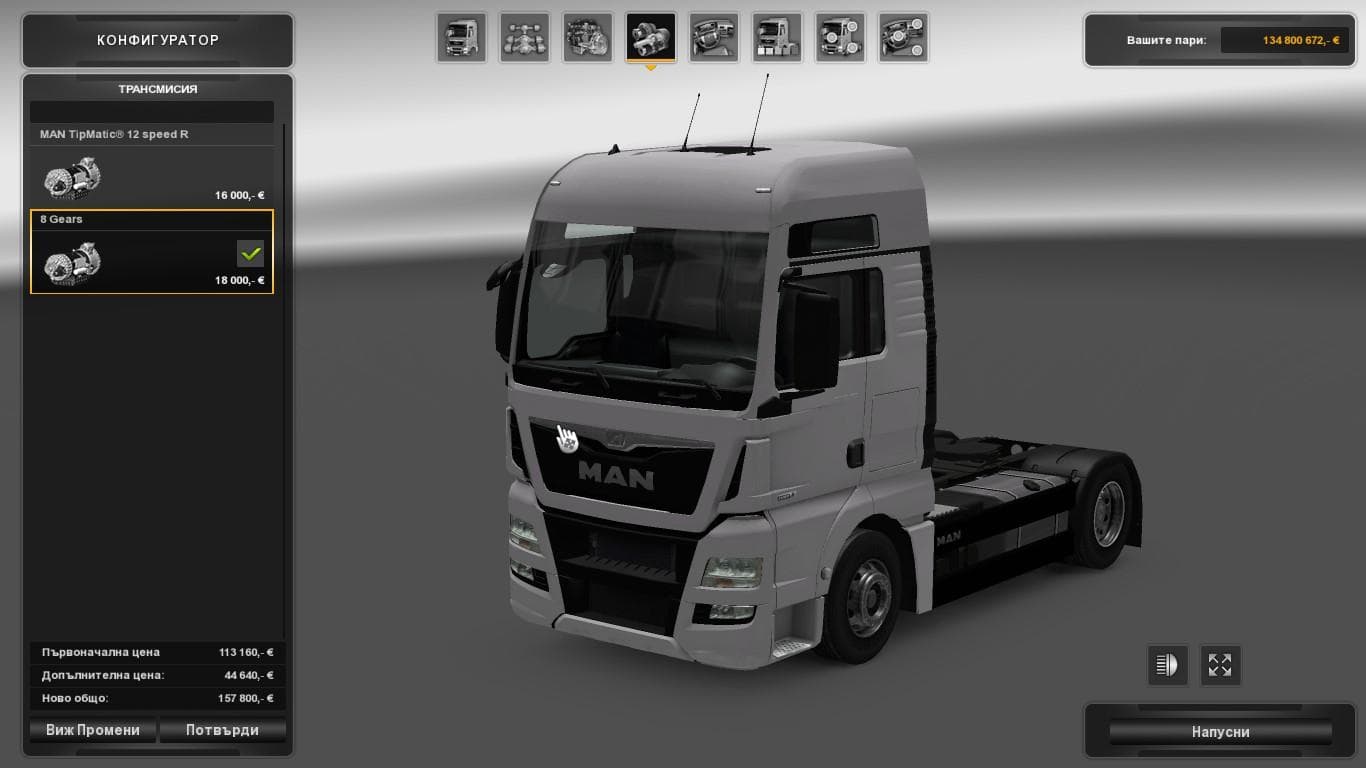
The "8 Gears Gearbox for MAN TGX Euro 6 by Madster" mod offers a high and low geared gearbox for the MAN TGX Euro 6 truck in Euro Truck Simulator 2. This is the
This mod introduces an 8-speed gearbox specifically designed for the MAN TGX Euro 6 truck. It offers both high and low gear options, allowing a more varied driving experience within the game. As a parts mod, it slots into the truck customization menu where you can swap out or upgrade various components to tailor your rig's performance and appearance.
Parts mods like this one typically add specialized accessories or mechanical components focused on enhancing a particular truck model. In this case, the gearbox mod targets the MAN TGX Euro 6, fitting neatly into setups that aim for more detailed tuning and realistic drivability adjustments. Players often use these mods to refine how their trucks handle under different conditions or to simulate real-world configurations.
When adding gearbox mods, it's wise to consider load order and compatibility with other parts upgrades or tuning mods. While specifics for this mod’s version and ETS2 support are unknown, general practice involves loading vehicle parts after map or gameplay mods to avoid conflicts. Keeping an eye on user feedback can help identify any issues related to combining multiple mods in your setup.
This type of gearbox upgrade appeals mostly to players who enjoy tweaking their truck’s mechanics beyond stock options. If you're focused on realism or want a different shifting experience with your MAN TGX Euro 6, this mod provides a straightforward way to switch up your transmission without altering other aspects of the truck.
Since it's an early version with potential bugs noted by its creator, users comfortable with testing new mods and reporting issues may find it interesting. It fits well within a modded setup that prioritizes mechanical customization over purely cosmetic changes.
How to install
1. Download the file(s) from the original source linked above. 2. Drop them into `Documents/Euro Truck Simulator 2/mod/`. 3. Enable in Mod Manager and restart the game.
After the mod loads, save your game inside a safe area (parking lot or service) before deciding whether to keep it. If the game refuses to load with the mod enabled, check that all required DLCs are installed and that the supported ETS2 version chips on this page include your installed game patch.
Reviews
No ratings yetNo reviews yet — be the first to rate this mod.